
Notice
We have removed our products from the WooCommerce.com marketplace as part of our decision to centralize sales, licensing, and customer support directly through externalimagesplugin.com. This allows us to provide faster updates, clearer communication, and more direct support without third-party limitations.
We continue to provide full support for all existing WooCommerce.com subscribers. When contacting support, please include your WooCommerce.com order number, and we’ll be happy to assist you.
All renewals, new licenses, and future purchases are now handled exclusively through our official website.
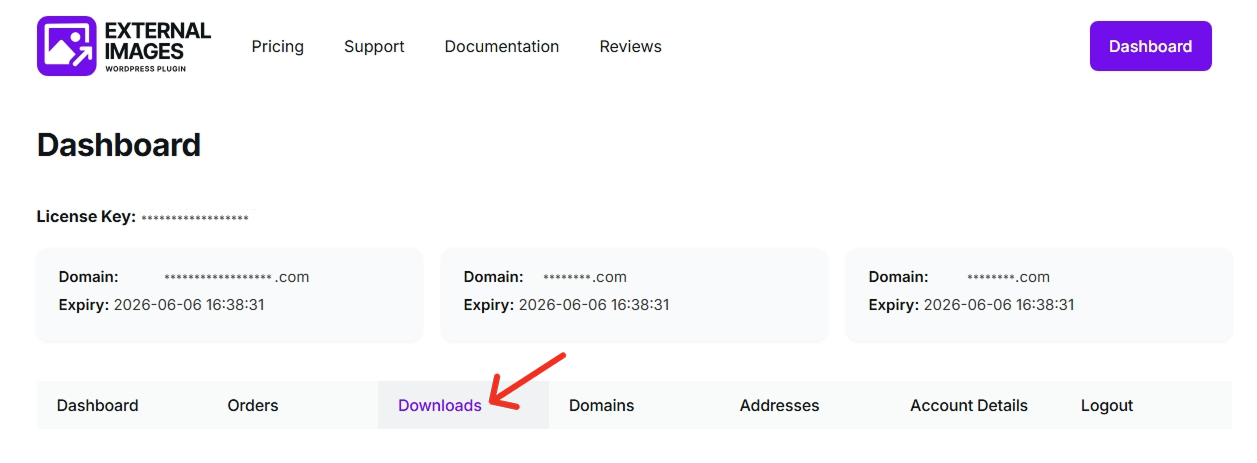
Getting started is quick and easy:
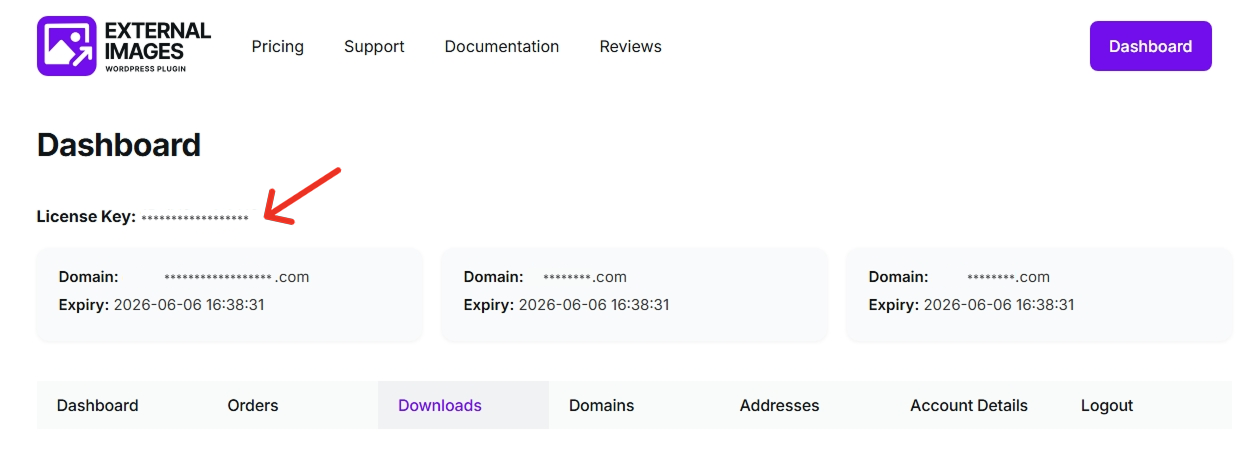
Activate your plugin in just a few steps:
Make sure the domain linked to your license matches the site where the plugin is installed. Activation will only work on registered domains.
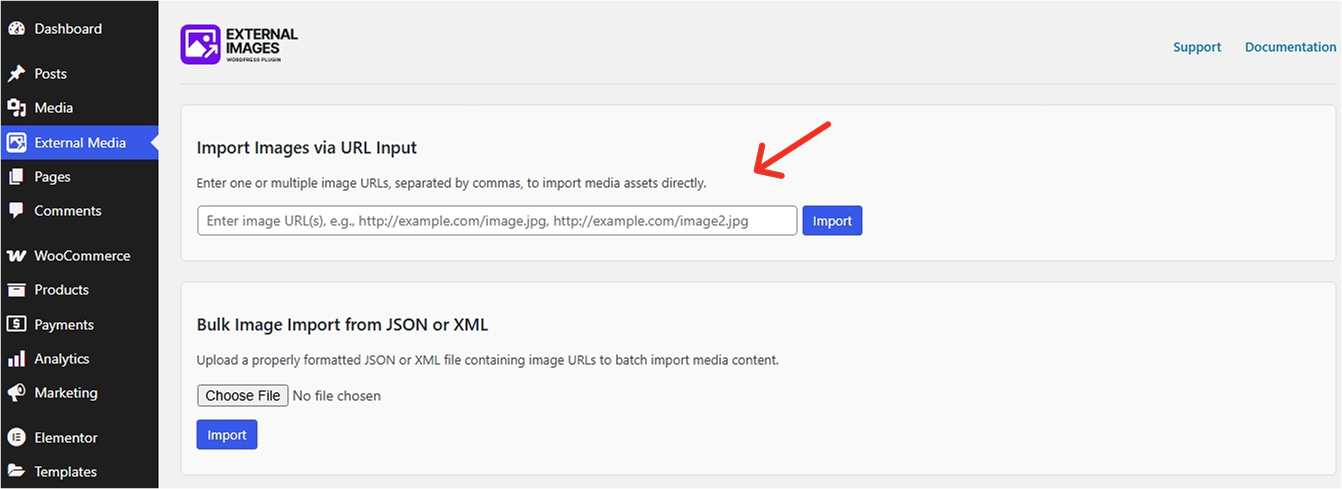
Bring external images into your WordPress site in seconds—no manual uploads required. Here’s how:
Import multiple images at once by separating each URL with a comma. Example: https://example.com/image1.jpg, https://example.com/image2.png. The images remain hosted externally, helping you save storage space while still using them like any other media in WordPress.
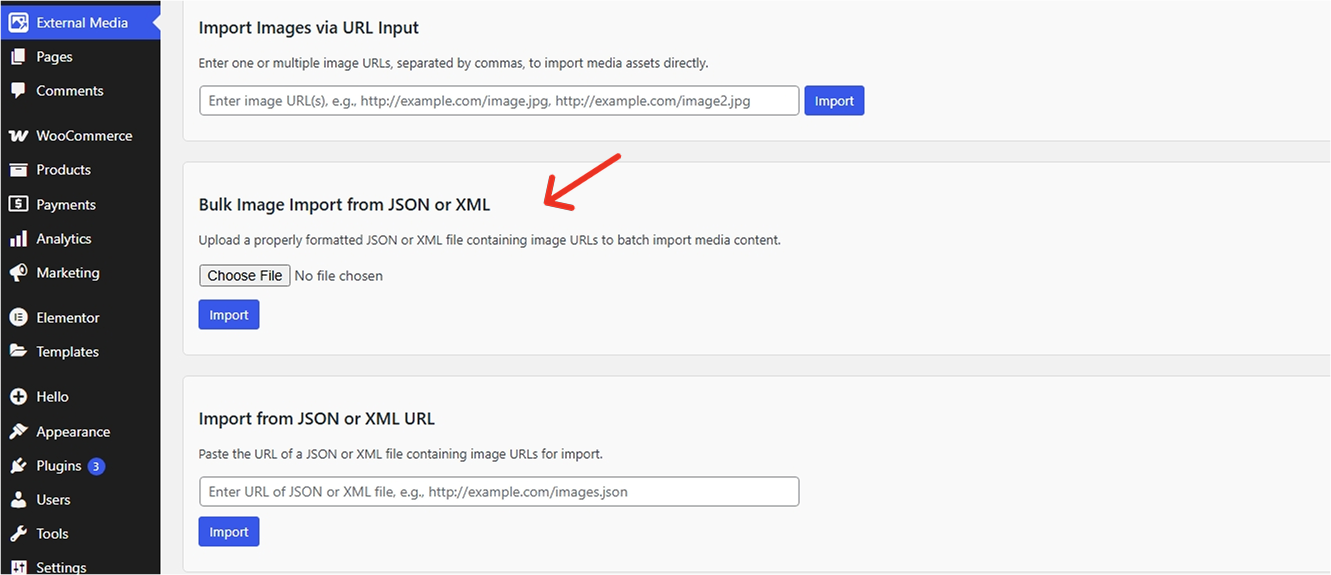
Managing a large number of images, especially on WooCommerce sites or content-heavy blogs can be time consuming. The External Images plugin streamlines this process by letting you bulk import images using a JSON or XML file that contains your image URLs.
How to Import a JSON File
How to Import an XML File
Make sure your JSON or XML file is properly formatted and contains valid image URLs to ensure a smooth import.
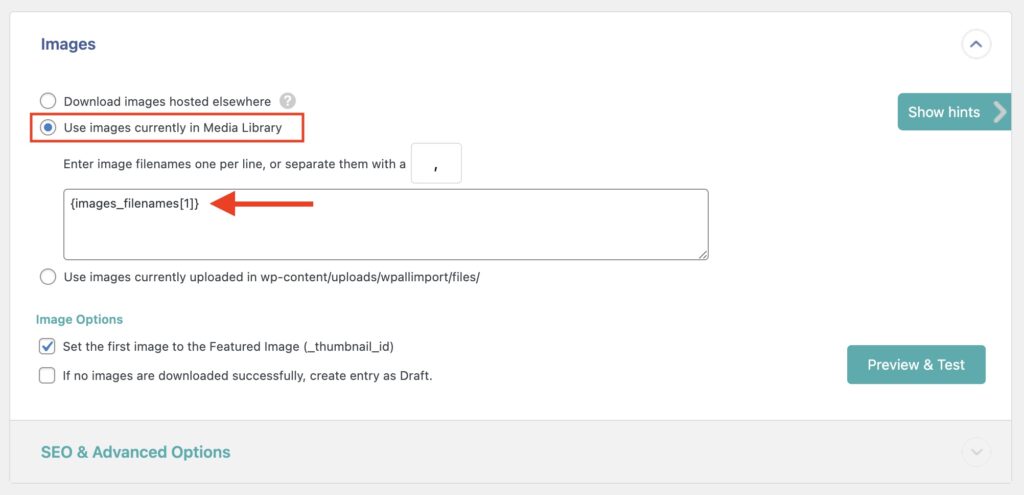
If you’re using the WP All Import & Export plugin to import posts or products, the External Images plugin makes it easy to manage your images alongside that workflow. Here’s how to use them together:
This method ensures faster imports and avoids duplicate image downloads, especially useful for large product catalogs.